week01-intro-toolkit
├── .gitignore
├── README.md
├── data
│   ├── README.md
│   └── harvard-art-museum.csv
├── homework
│   └── hw01-intro-toolkit.qmd
├── lecture
│   └── lec01b-notes.qmd
├── section
│   ├── 01-installations.R
│   ├── 02-test-installations.qmd
│   └── 03-bonus.qmd
└── week01-intro-toolkit.RprojTeaching file directories has been a challenge for me for many years. Some students get it right away. Others really struggle. They have no idea where a file lives on their computer.
This year I tried something different. I have a no-tech policy in class: students don’t use technology during class, except for brief online polling questions. That doesn’t mean my class is tech-free. I write and run code in front of my students, and they watch and pay attention to what I’m doing. I like technology, and I want my students to use it.
But as more of our lives become high-tech, especially with AI all around us, I think we should also keep using the non-technological tools we’ve had for years. It’s good to do something different and not always look at a screen. So this year I’ve been looking for more ways to teach in class without students using technology. That’s how I came up with the idea of physical boxes and pieces of paper to show students how to navigate their files.
I meant to write a blog post about it but did not have the time. Instead, I posted about the boxes on LinkedIn, and the post got somewhat popular. Some instructors said they found it useful and plan to use it with their own students. That response told me the problem is much more common than I thought. I knew it, but I guess I didn’t want to believe it. So here is the blog post.
The problem
I teach an introductory statistics and data science course. Every week, students get a GitHub repo with the files they need for that week: lecture notes, homework, any external data sets, and materials for section. (At Harvard we call a lab session “section”.)
To submit their homework, students have to find their homework file, work on it, and push it back to GitHub. They learn how to clone the repo, which is basically downloading it. But after they clone it, some students cannot find it on their computer.
The boxes
Each week’s repo is a project folder, so the first object is a box labeled with the name of the week’s project folder.
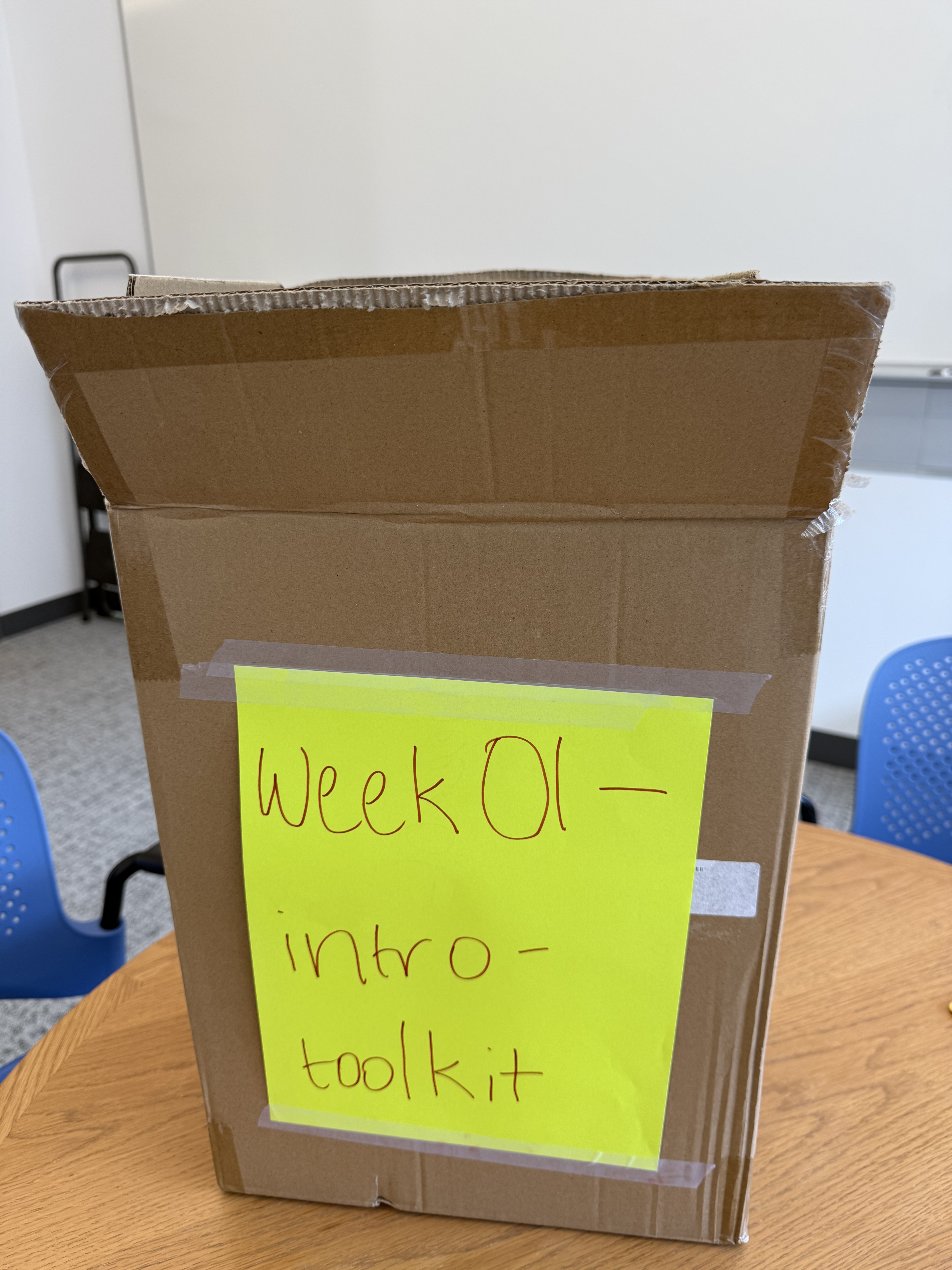
week01-intro-toolkitThen I open the box and take out what’s inside, one item at a time. The week 1 project folder contains four more folders, data, homework, lecture, and section, plus three files: .gitignore, README.md, and week01-intro-toolkit.Rproj. Folders are smaller boxes wrapped in blue paper. Files are sheets of paper.
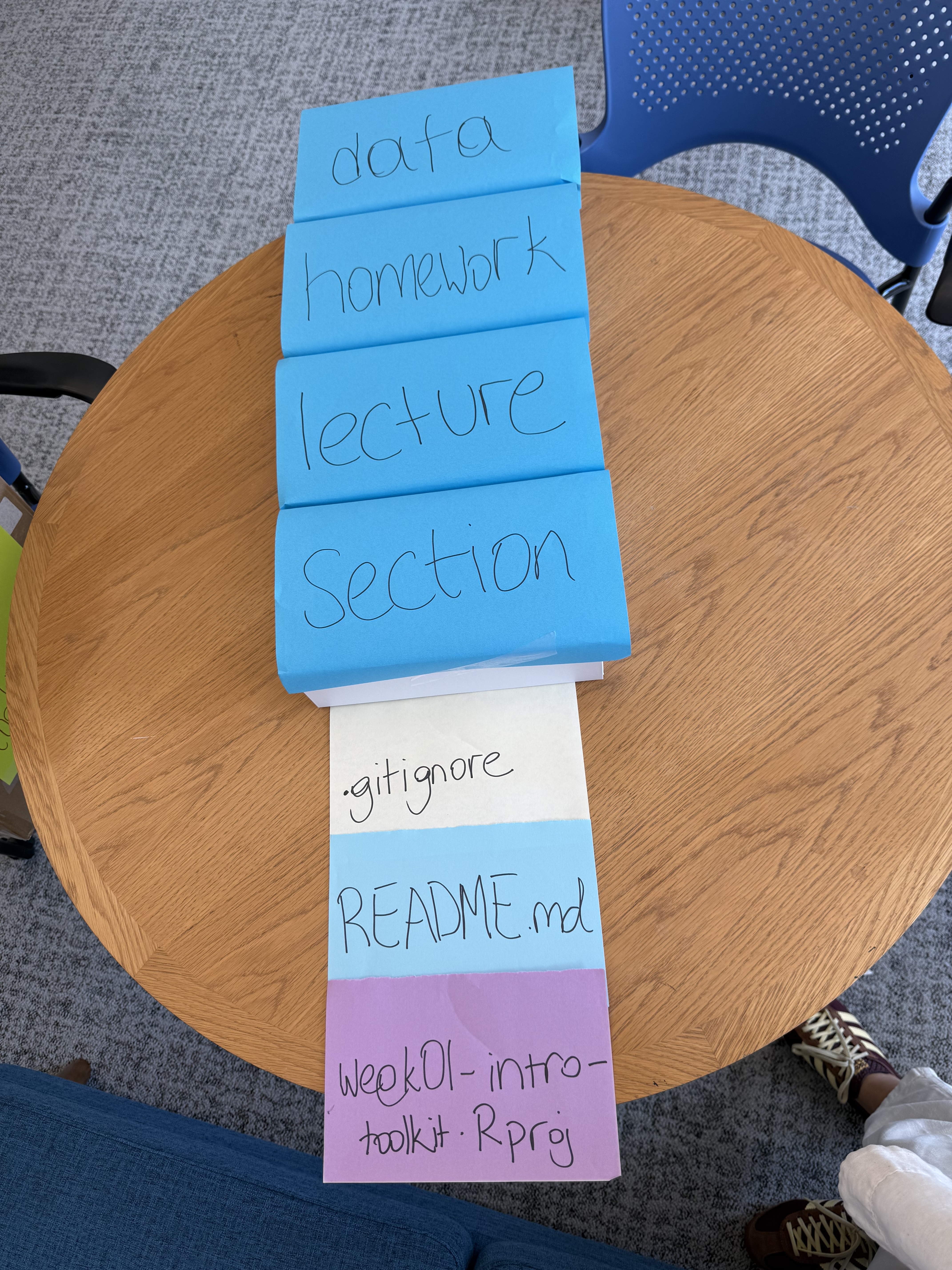
Students don’t learn what .gitignore does until week 5 or 6. They don’t learn the details of README files until week 6 either. That’s OK. In week 1, I only want them to know these files exist. They don’t need to know what a file does to know that it’s there.
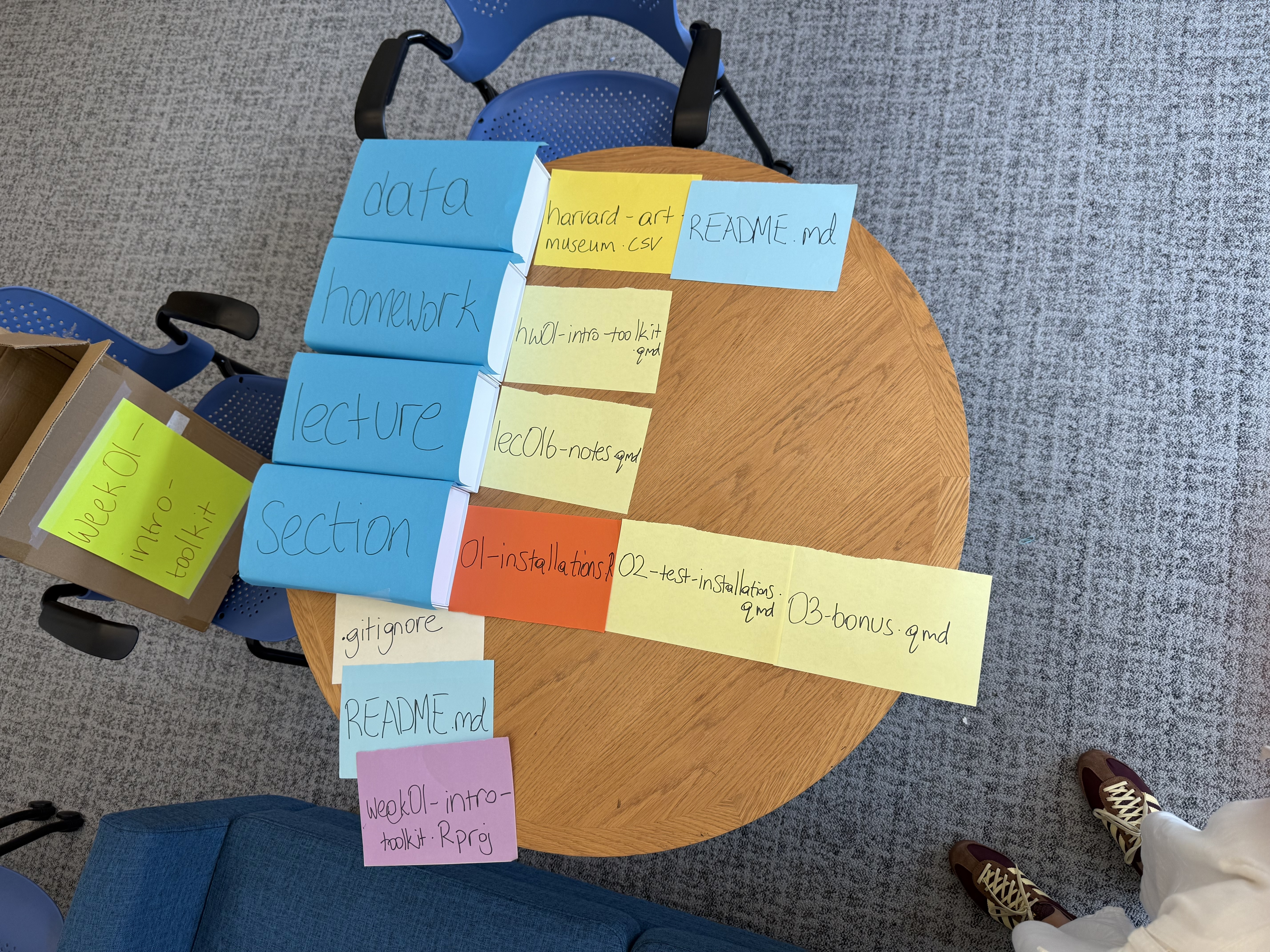
Then I open each folder. data has a CSV file and another README. homework has the homework file. lecture has the lecture notes. section has three numbered files.
The same thing, in code
The boxes on the table show this directory structure:
Why physical objects?
Math educators have long used concrete manipulatives like blocks and tiles. A meta-analysis by Carbonneau, Marley, and Selig (2013) found that teaching math with manipulatives helps students learn, and that how instructors use them matters. With the boxes, students can see that one folder sits inside another: harvard-art-museum.csv is inside data, and data is inside week01-intro-toolkit.
Other resources
If you teach file directories or a project-based workflow, some of the following might be useful depending on the level of the course.
- Jenny Bryan’s Project-oriented workflow makes the case for keeping everything for a project in one folder and avoiding
setwd(). It’s the same idea behind the.Rprojfile at the top of my box. For those of us who will switch to Positron, this will be the default workflow. - Malcolm Barrett’s Why should I use the here package when I’m already using projects? explains how
herebuilds file paths from the root of the project, no matter where your file is. - Emma Rand’s slides on working directories, relative paths, and absolute paths are a clear introduction for beginners.
If you try this with your students, I hope you and they find it helpful for learning file directories.
No matching items